

The Ultimate Guide: Best Ways to Manage Facebook Business Page in 2026
In a world where algorithms reward consistency, authenticity, and genuine engagement, managing a Facebook Business Page effectively can turn it into a powerful growth engine for your brand. Whether you’re a small business owner, marketer, or social media manager, a well-managed page drives traffic, builds community, generates leads, and boosts sales.
Here’s the most effective, up-to-date strategy to manage your Facebook Business Page like a pro.
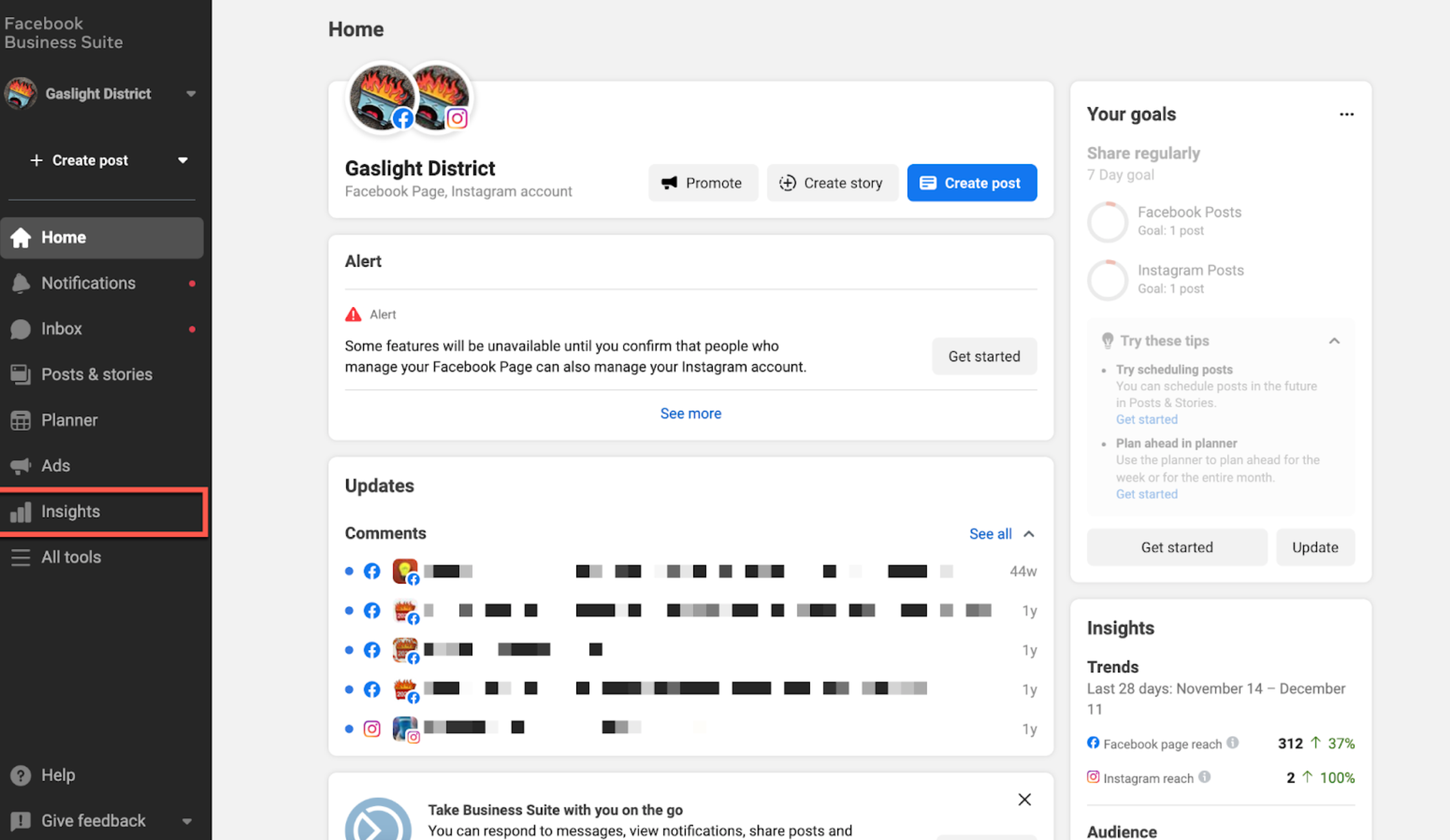
Meta Business Suite dashboard – your central hub for managing Facebook Pages efficiently.
1. Optimize Your Page Setup for Maximum Discoverability
Before posting anything, ensure your page looks professional and is fully optimized:
- Use a clear, high-quality profile picture (logo or headshot) and an eye-catching cover photo that reflects your brand.
- Fill out the About section completely: include your website, contact info, business hours, and keywords for better search visibility.
- Add relevant categories (up to 3), services/products, and action buttons like “Shop Now,” “Contact Us,” or “Learn More.”
- Turn on recommendations and messaging to build trust and encourage customer interaction.
A polished page signals credibility and helps Facebook’s algorithm recommend you to the right audience.
2. Use Meta Business Suite as Your Management Command Center
Stop switching between tabs. Meta Business Suite (formerly Creator Studio + Page Manager) is the all-in-one tool for managing your Facebook Page (and Instagram account).
Key features to master:
- Unified inbox for comments and messages
- Content calendar and scheduling
- Performance insights
- Ad creation and management
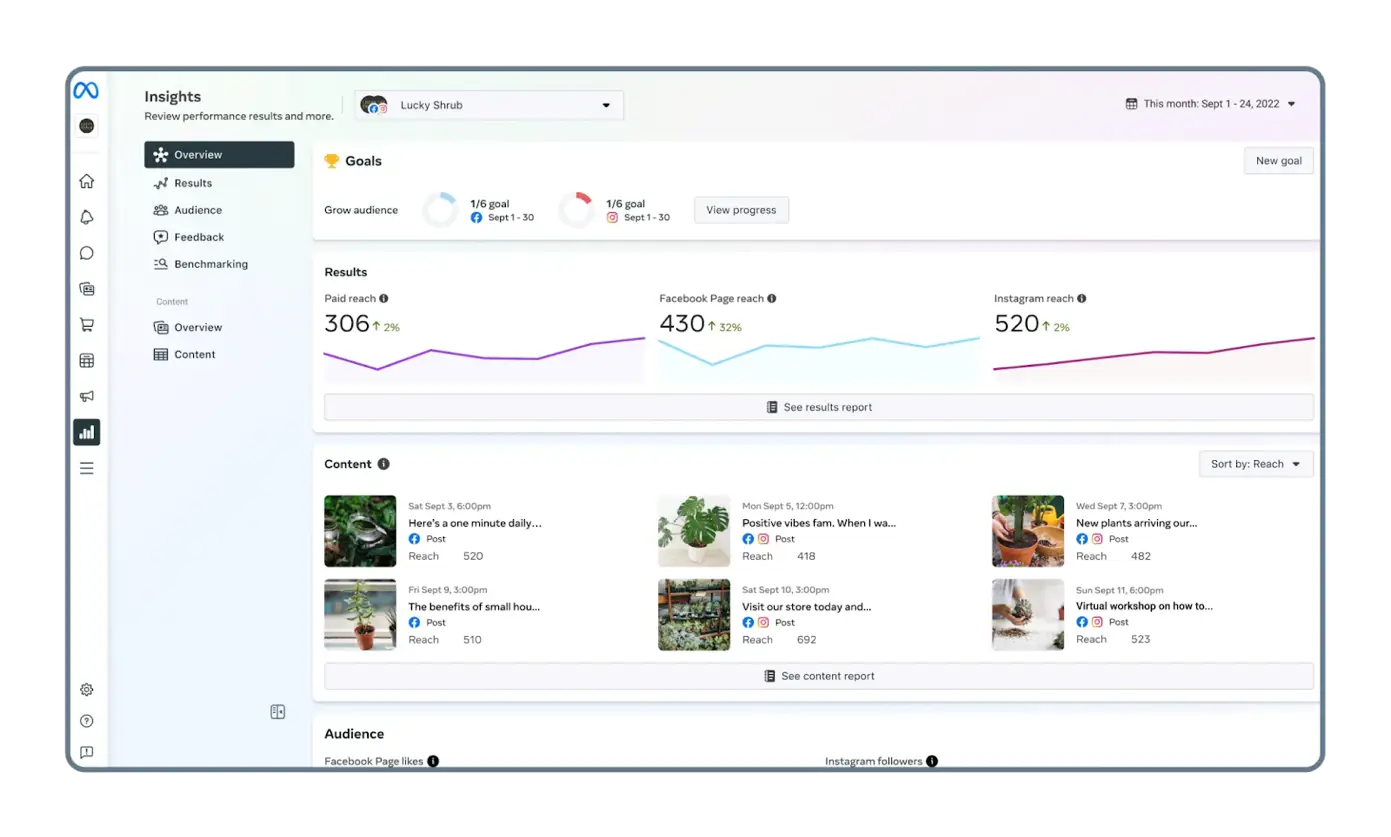
Meta Business Suite Insights overview – track reach, engagement, and audience growth in one place.
Pro tip: Invite team members with appropriate roles (Admin, Editor, Moderator, Advertiser) to collaborate without sharing your personal login.
3. Develop a Smart Content Strategy (Quality Over Quantity)
The Facebook algorithm in 2026 prioritizes meaningful interactions and video content. Follow the 80/20 rule:
- 80% value-driven content (educational, entertaining, behind-the-scenes, polls, customer stories)
- 20% promotional (offers, product launches, calls-to-action)
Recommended content mix:
- Reels and short videos → Highest organic reach potential
- Stories → Daily connection with your audience
- Carousels and images → Great for storytelling and product showcases
- Live sessions → Build community and answer questions in real-time
- Polls and questions → Boost engagement signals
Aim for 3–5 high-quality posts per week rather than daily low-effort content. Post when your audience is most active (typically midweek afternoons/evenings – check your own Insights for exact times).

Example of an engaging video post that inspires and connects with viewers.
Eye-catching image post example – clean visuals with strong branding perform well.
4. Plan and Schedule Content Like a Pro
Consistency is key, but you don’t need to be online 24/7.
- Create a content calendar to batch-plan posts for the week or month.
- Use the built-in scheduler in Meta Business Suite or third-party tools (like Buffer, Hootsuite, or SocialPilot).
- Always preview how posts look on mobile – most users scroll on phones.
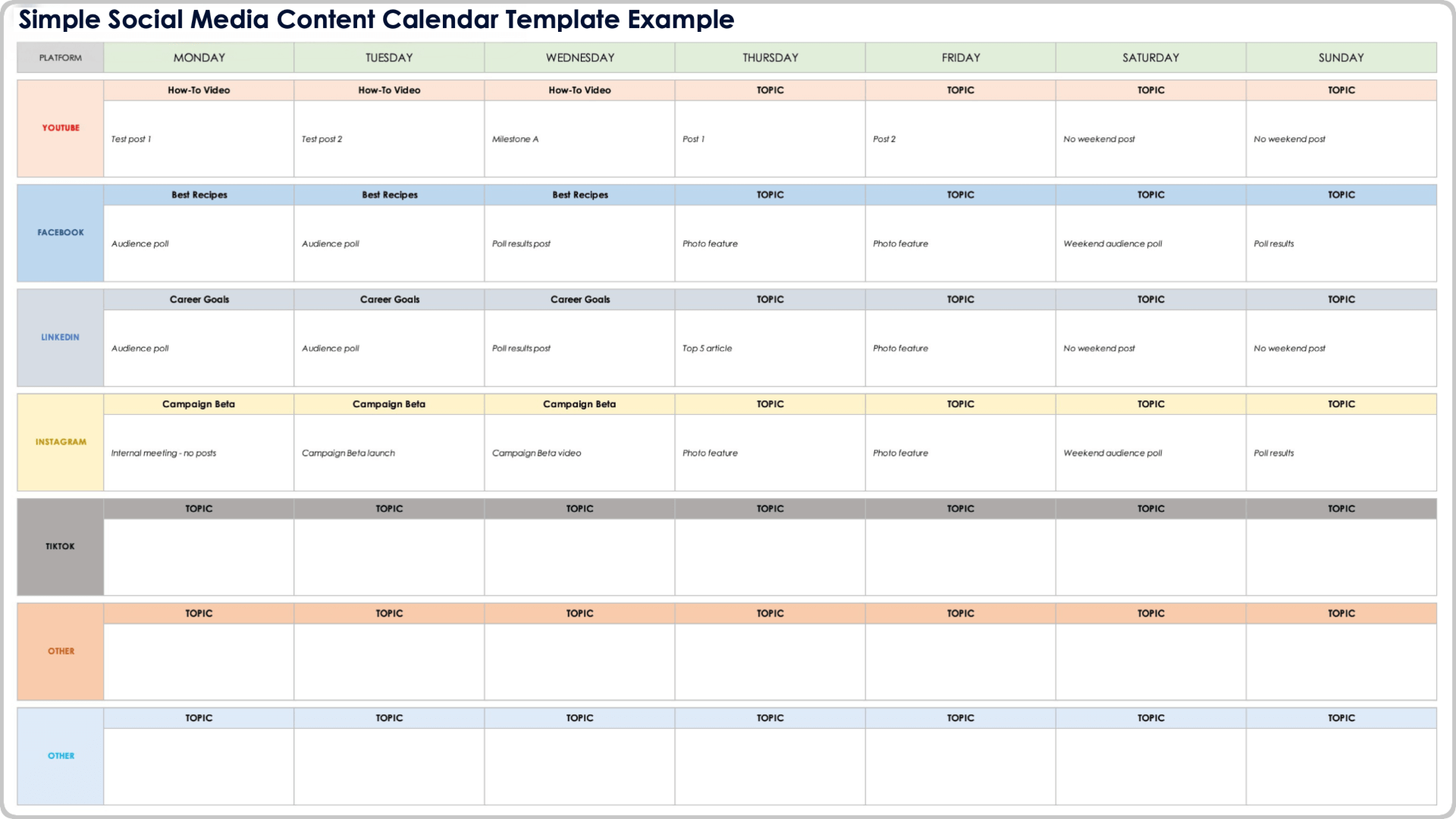
Social media content calendar template – plan your Facebook posts alongside other platforms for better organization.
5. Engage Actively and Build Community
Managing a page isn’t just about posting — it’s about conversation.
- Respond to comments and messages within 24 hours (ideally faster). Quick replies improve algorithmic reach.
- Ask questions, run polls, and reply thoughtfully to every interaction.
- Consider creating or joining a Facebook Group related to your niche to nurture a deeper community.
Authentic engagement turns followers into loyal customers and brand advocates.
6. Leverage Facebook Insights for Data-Driven Decisions
Regularly analyze what works:
- Track reach, engagement rate, video watch time, and audience demographics.
- Identify top-performing post types and best times to publish.
- Use insights to refine your strategy — double down on what resonates.
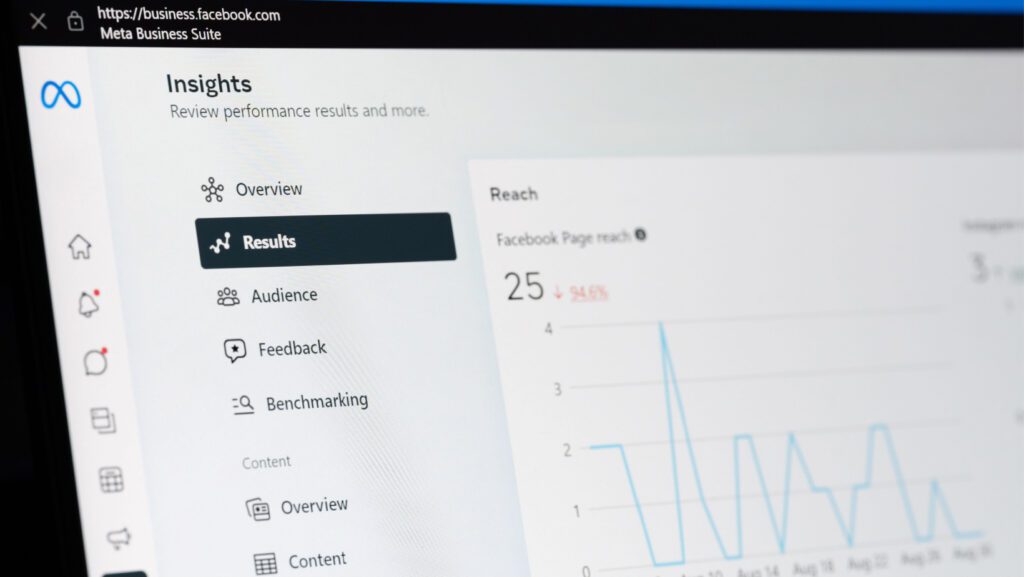
Facebook Page Insights dashboard showing reach and performance trends.
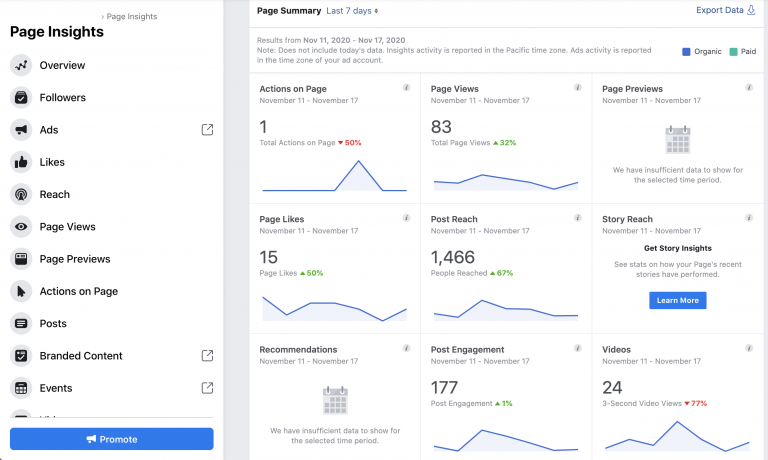
Detailed Page Insights – monitor actions, views, and engagement metrics.
7. Boost Reach with Strategic Advertising
Organic reach is limited, so smart paid promotion is essential.
- Boost high-performing organic posts to your target audience.
- Create targeted ad campaigns using Custom Audiences, Lookalike Audiences, and detailed demographics.
- Start small and scale what works based on insights.
Even a modest budget can significantly amplify your best content.
8. Additional Pro Management Tips for 2026
- Maintain brand consistency across visuals, tone, and messaging.
- Use proper image and video sizes for best display (e.g., 1080×1080 for square posts, vertical for Reels).
- Monitor and moderate comments to keep the space positive.
- Stay updated with Facebook’s evolving features — Reels, AI tools, and new ad formats can give you an edge.
- Consider Meta Verified for added credibility and potential reach benefits.
9. Scheduling, Posting, and Daily Management
Consistency is impossible without systems. Manual posting leads to burnout.
Use Meta Business Suite. This free tool (business.facebook.com or the app) is your central hub. Connect your page, then:
- Create and schedule posts for Facebook and linked Instagram.
- Manage inbox for comments and messages in one place.
- Access Insights and ads.
To schedule: Create a post, select “Schedule” instead of Publish, choose date/time, and save. You can edit or reschedule later.
Third-Party Tools for Advanced Management. For teams or multiple pages, consider:
- Buffer or Hootsuite for simple scheduling and analytics.
- Sprout Social for deeper reporting.
- Planable for collaboration and approval workflows.
These tools often include AI assistants for caption ideas, optimal timing suggestions, and performance predictions. Start with free tiers to test.
Inbox and Community Management Respond to every comment and message within 24 hours (ideally faster). Quick replies signal to the algorithm that your page is active and valuable. Use automated responses for common questions, but personalize where possible.
Encourage reviews—happy customers leave them, and they appear prominently. Address negative feedback professionally and publicly when appropriate to show transparency.
Team Roles. If managing with a team: Assign roles like content creator, engager, analyst, and approver. Use tools with approval workflows to maintain brand voice.
Daily routine example:
- Morning: Check inbox, respond, review Insights from the previous day.
- Midday: Engage with comments on new posts.
- Evening: Post or schedule next content, monitor trends.
Section 5: Boosting Engagement and Building Community
Engagement is the currency of 2026 Facebook.
Tactics to Increase Interactions
- Ask open-ended questions.
- Run polls and quizzes.
- Host contests or giveaways (follow rules to avoid issues).
- Share behind-the-scenes or personal brand stories.
- Collaborate with influencers or complementary businesses.
- Post in relevant Facebook Groups (without spamming) to drive traffic back to your page.
Leverage Facebook Features
- Reels for Discovery: Optimize with popular sounds, effects, and captions. Encourage duets or stitches.
- Stories for Daily Touchpoints: Use them to humanize your brand and drive to main posts.
- Live for Depth: Schedule regular sessions and save replays as videos.
Final Thoughts: Treat Your Page as a Community Hub
The best-managed Facebook Business Pages in 2026 aren’t just broadcasting tools — they’re places where people feel seen, heard, and valued.
Focus on providing real value, staying consistent, engaging authentically, and using data to improve. Over time, your page will grow not just in followers, but in meaningful business results.
Start implementing these strategies today, and you’ll see the difference in engagement and growth.
What’s your biggest challenge when managing a Facebook Business Page? Share in the comments below!